Context Menu
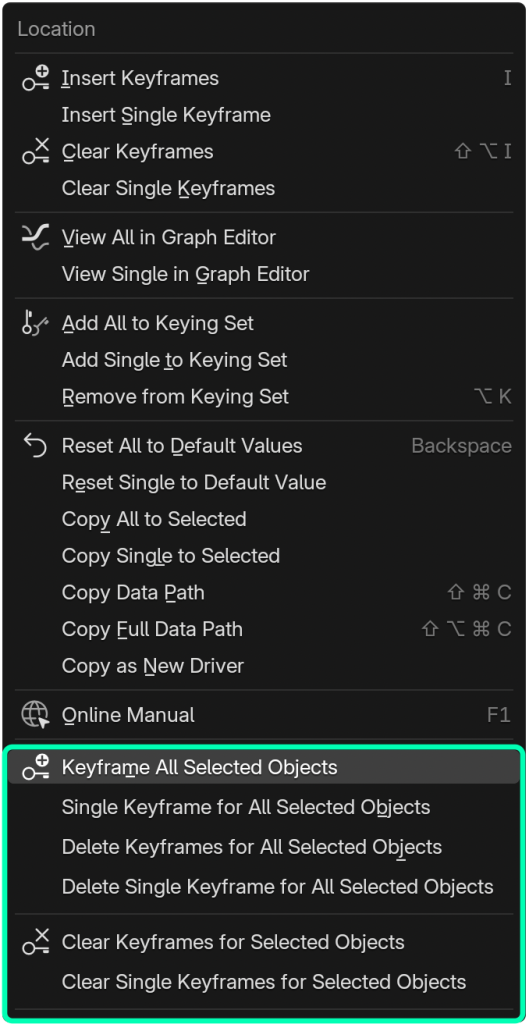
Keyframe All Selected Objects
Creates keyframes for a property for all selected objects. If a property is multi-dimensional (i.e. it has an X, Y, & Z), this will create keyframes for all dimensions.
Single Keyframe for All Selected Objects
Creates keyframes for a property for all selected objects. If a property is multi-dimensional, only the dimension you clicked (e.g. the X of location) is keyed.
Delete Keyframes for All Selected Objects
Deletes keyframes from a property for all selected objects. If the property is multi-dimensional, keyframes are removed from every dimension.
Delete Single Keyframe for All Selected Objects
Deletes keyframes from a property for all selected objects, but only for the clicked dimension of a multi-dimensional property.
Clear Keyframes for Selected Objects
Removes the entire F-curve(s) for the chosen property across every selected object. For multi-dimensional properties, the X, Y, and Z (or equivalent) F-curves are all deleted, eliminating all animation and interpolation data for that property. [demo video]
Clear Single Keyframe for Selected Objects
Removes the F-curve corresponding to just the clicked dimension of a multi-dimensional property (or the single F-curve of a scalar property) across all selected objects. This erases the animation data entirely for that one property, leaving the other dimensions untouched. [demo video]